The Studio Portal · Labyrinth Consulting

Your whole business. One system. Your brand on the door.

A white-label studio & project portal for interior designers and contractors. Your logo, your colors, your domain — and the billable hours, markup, and change orders you've been quietly giving away, back on the invoice.

$415–590/mo
what a 3-person studio pays today for the software stack this replaces — July 2026 prices
15–25%
of billable hours lost industry-wide when time is logged from memory instead of as it happens
$3,000+/mo
conservatively recovered or created — hours, markup, change orders, referrals, capacity
The Case

It doesn't cost you money.
It stops the leaks.

Before you look at a single feature, look at the math. On one side: the subscriptions you already pay, every month, for tools that don't talk to each other. On the other: the money that slips through the cracks between them.

What you're paying now

Design projects, procurement, invoicingStudio Designer / Houzz Pro / Mydoma
$192–270
Books & accounts receivableQuickBooks Online
$65–99
Jobsite photo documentationCompanyCam — 3-user minimum
$79–99
Time trackingbusybusy / Harvest
$45–85
A branded client portal on your own domainNot sold by anyone, at any price
The stack you get to cancel
$415–590/mo

Every Studio Portal plan includes unlimited team and client logins — the incumbents all bill per seat, so the gap widens as you grow.

What it makes you — conservative, per month

Billable hours you stop losinglive timer + voice notes log time as it happens — recovering just 2 hrs/week at $150
$1,200+
Projects you winthe branded portal is the pitch — nobody else walks into the living room with their own platform
$350+
Product markup that stops leakingevery spec tracked from selection to install
$400
Scope creep that becomes change orders"oh, can you also…" gets captured on site, not forgotten as a favor
$300+
Referrals your portal earnsclients touch your brand weekly — and show their friends
$350+
Capacity for one more projectstatus calls, proposal drafting, invoice assembly — automated back into billable time
$500+
Recovered or created revenue
$3,000+/mo

"If it captures two billable hours a month, it's paid for itself. Everything after that is profit."

Why This Exists

Built for my own company first.
Then made yours.

I've been in construction a long time, and the premise behind everything I do is simple: find the pain points — mine or somebody else's — and fix them. I've never subscribed to "well, that tool's out there, just use it." Why settle for working their way when you can have a tool built exactly the way you work?

So I built this for my own company first. We weren't disorganized — we were busy, and in construction things change on the fly. It wasn't until I closed the gaps that I saw how much money had been slipping through the cracks. Now every project, client, selection, photo, hour, and dollar lives in one place — under your brand, on your domain, for your team and your clients.

"Before, I was going back and forth between emails, files, notes, and spreadsheets. Now everything's in one spot — and for the first time, even crazy busy, it all feels manageable. We canceled QuickBooks, busybusy, and CompanyCam."

— Derrick Bockius, Labyrinth Construction
running the portal daily since spring 2026
See It Work

Six moments from a real portal.
Not ours — one studio's.

Everything below is captured from a live portal, shown in one studio's brand. Yours wears yours.

01

It's not our brand on it. It's yours.

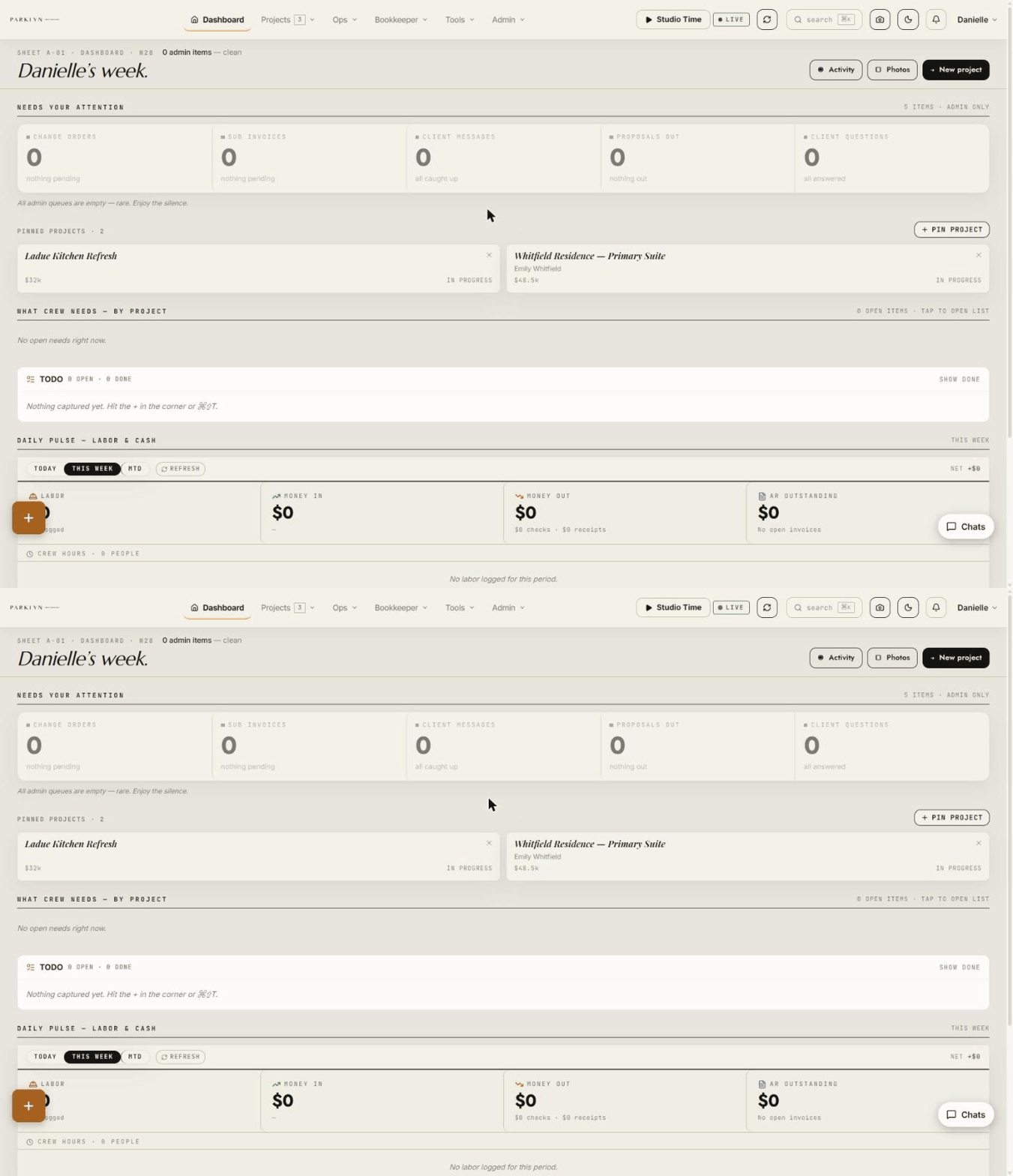
Your logo, your colors, your domain. Your client logs into your portal — not a tool with your name typed into a settings field. Nobody else walks into the living room with their own platform.

A studio-branded portal dashboard — the studio's own logo, colors, and week at a glance
02

Stop donating billable hours.

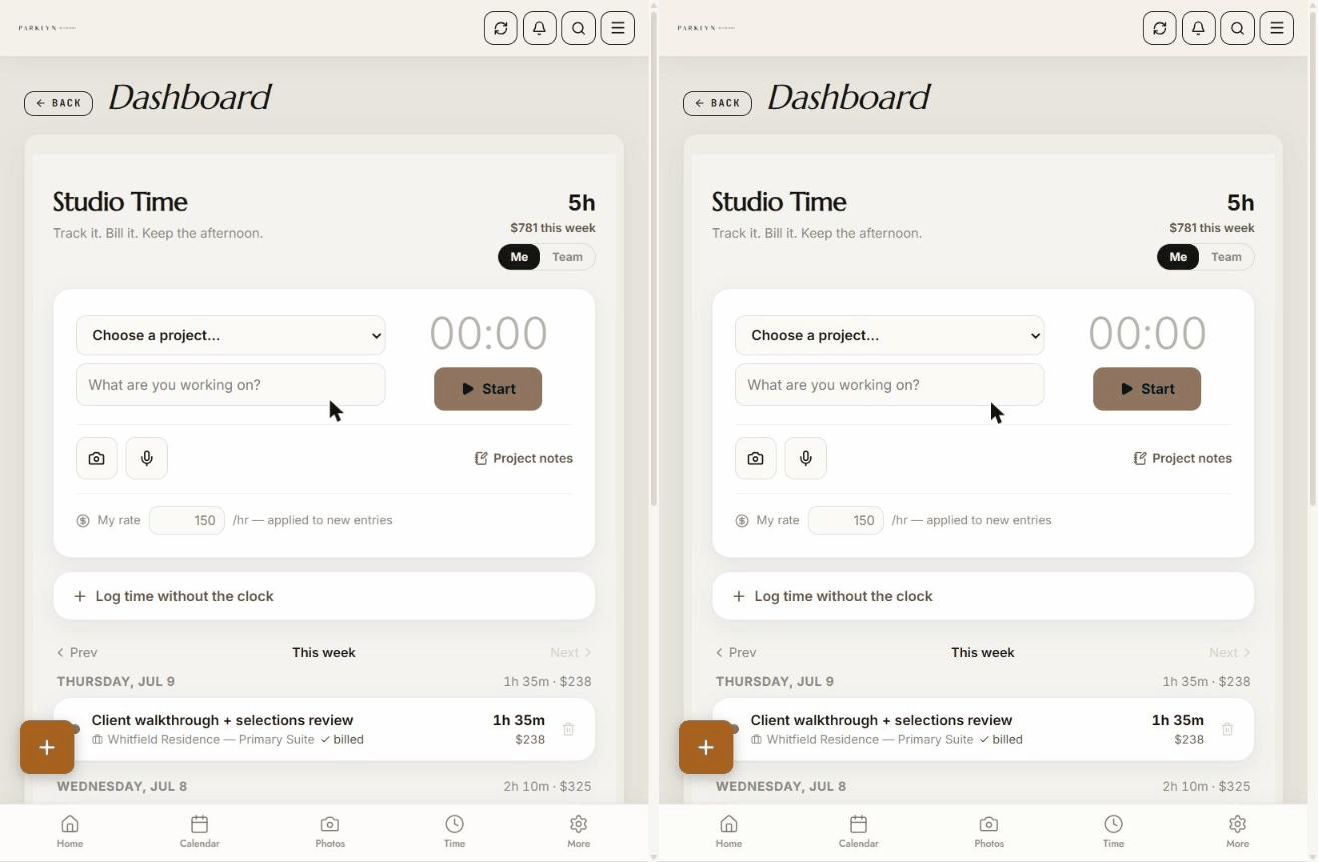
Start with the thing that pays for everything else: time. Pick the project, hit start, do your thing. When you stop, it's logged, priced at your rate, and filed — while it's still true, not Friday from memory. Firms that log time from memory lose 15–25% of their billable hours. This is how you stop giving them away.

Studio Time — live timer on a project, entry logged and priced automatically
03

Nothing gets forgotten in the truck.

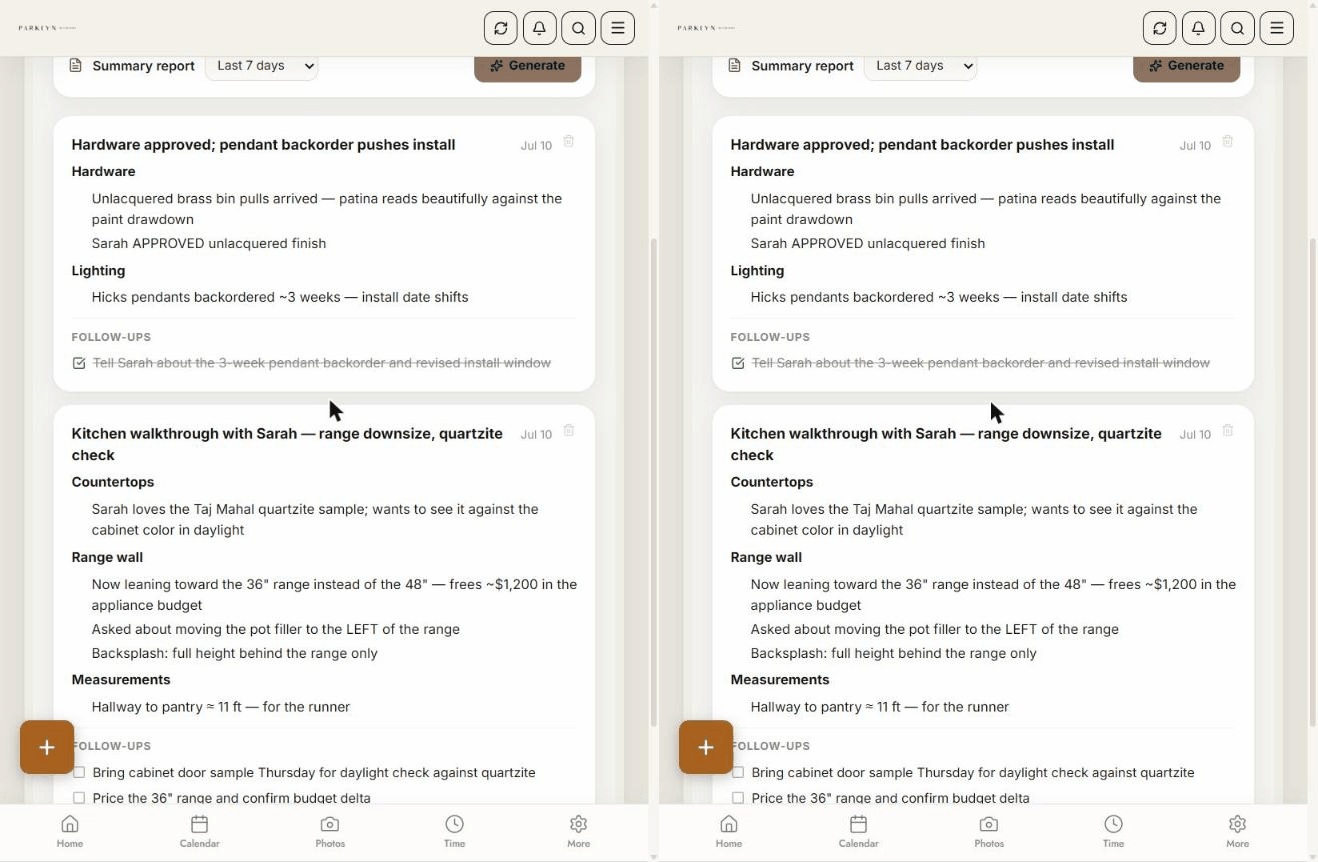
You're walking a job with your client — tap the mic and just talk: "Kitchen with Sarah — she loves the quartzite but wants to see it in daylight… she's leaning toward the 36-inch range, that frees about twelve hundred in the appliance budget… remind me to bring the door sample Thursday." This is what comes out: organized notes, by topic, with the follow-ups pulled out as checkboxes.

AI walkthrough notes — spoken notes organized by topic with follow-up checkboxes
04

Your client sees exactly what they paid for.

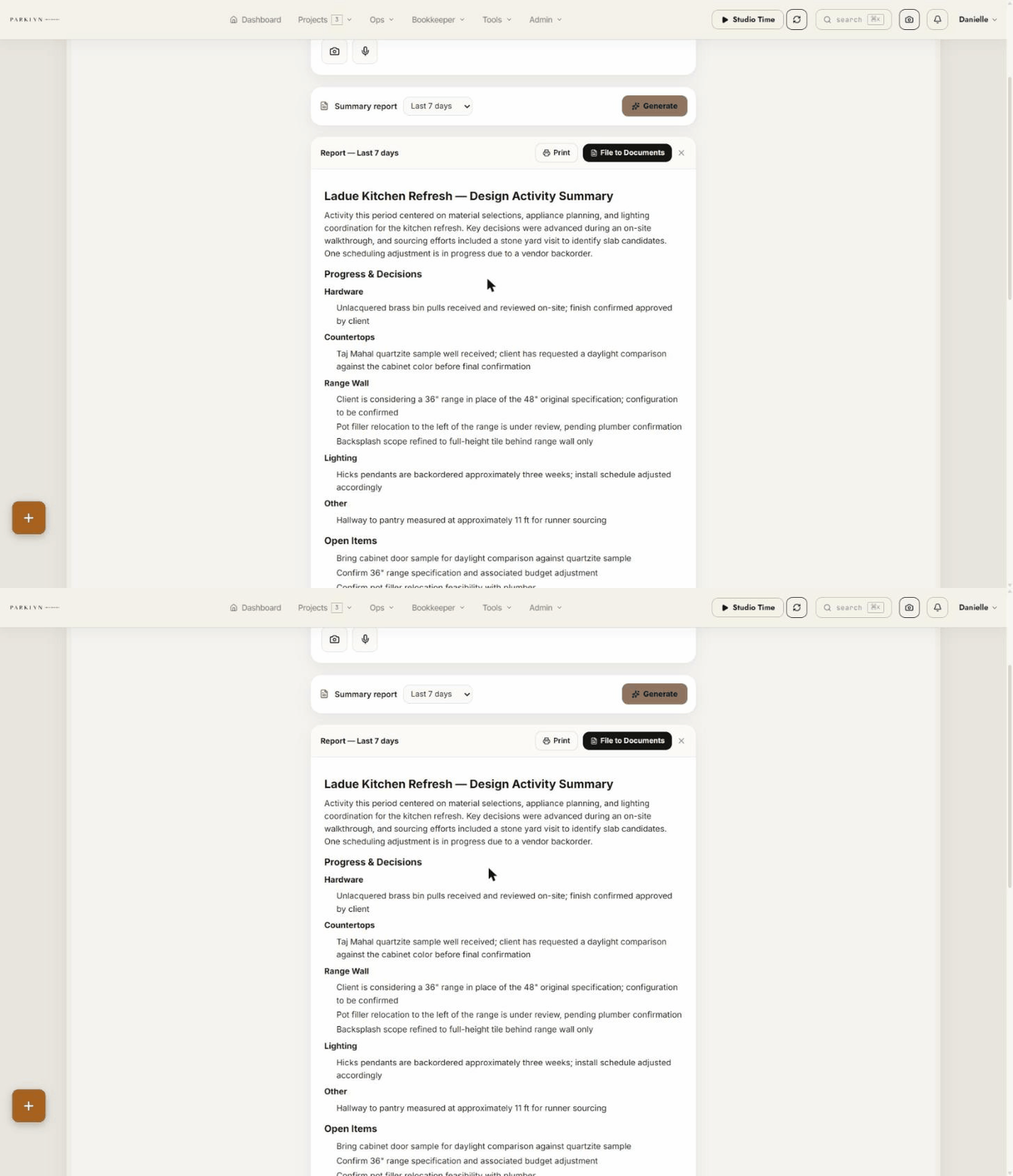
At the end of the week, one button turns those notes and hours into a clean activity summary: what got decided, what's open, where the time went. Print it, or file it straight to the project's documents and send it with the invoice.

Design Activity Summary report — progress and decisions, open items, time summary
05

The invoice? One tap.

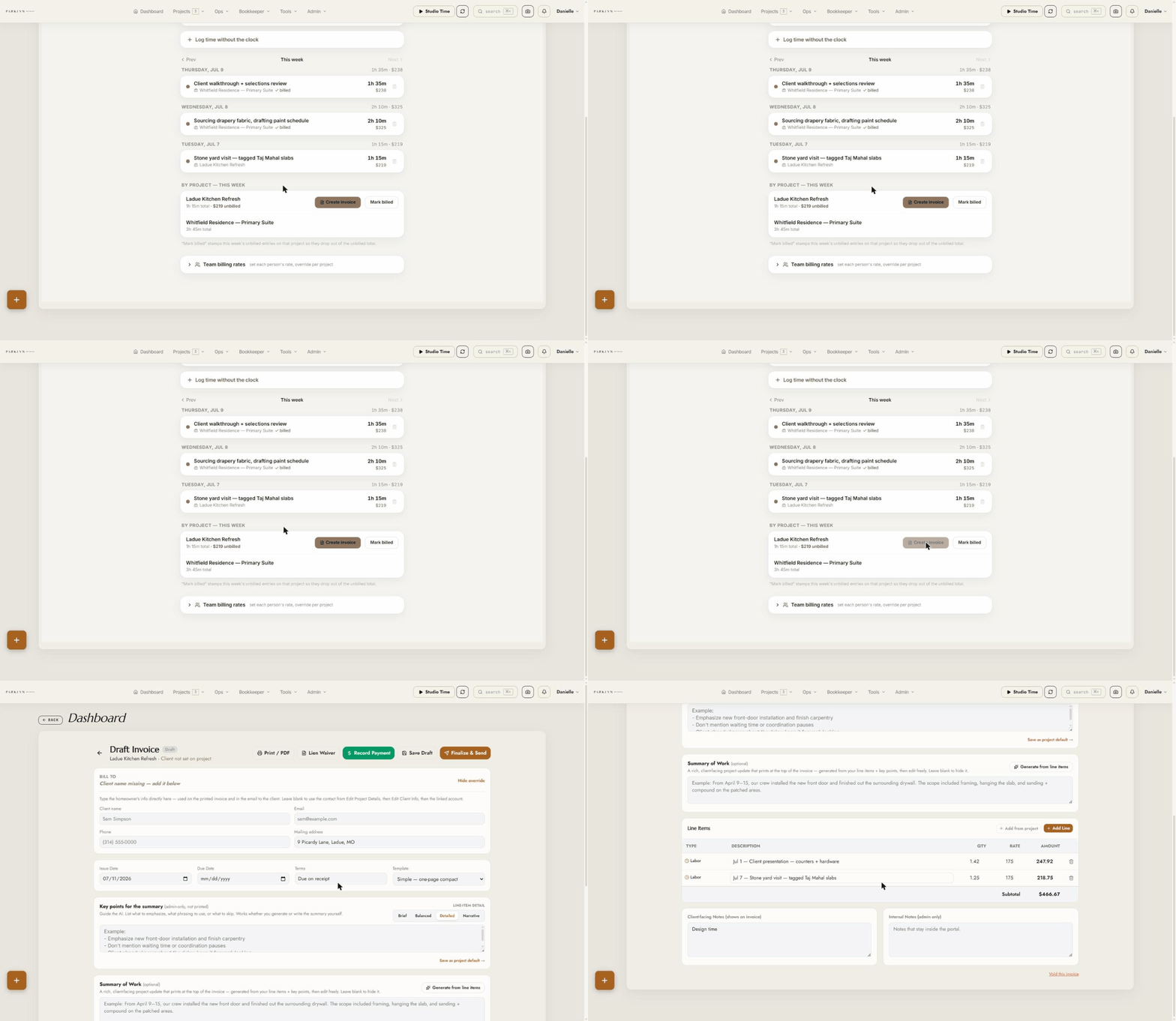
Every unbilled hour becomes a line item with the date, the work, and the math already done. Review it, send it, get paid.

Unbilled hours turned into a draft invoice with one tap
06

Every selection. Every room. Tracked to install.

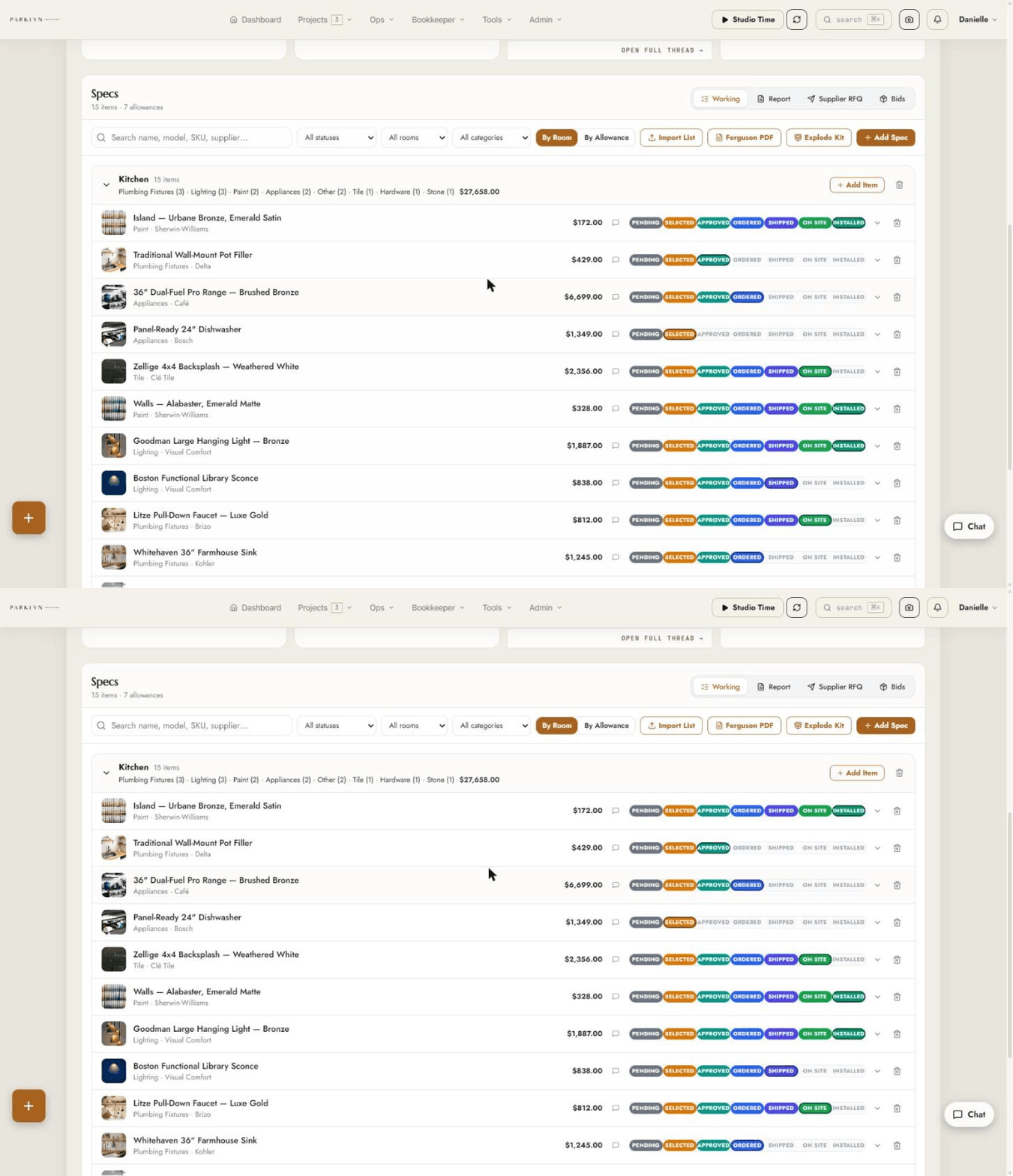
List everything a room needs — the moment it's picked, it becomes a line item that carries its own life story: selected, client-approved, ordered, shipped, on site, installed. A Chrome extension clips products from Build.com, Ferguson, or any retailer straight into the project, and your client watches the status move without calling you. Nothing lives in a spreadsheet. Nothing falls through an email.

The specs board — every kitchen selection as a line item with product, price, and live procurement status
07

Schedules that build themselves.

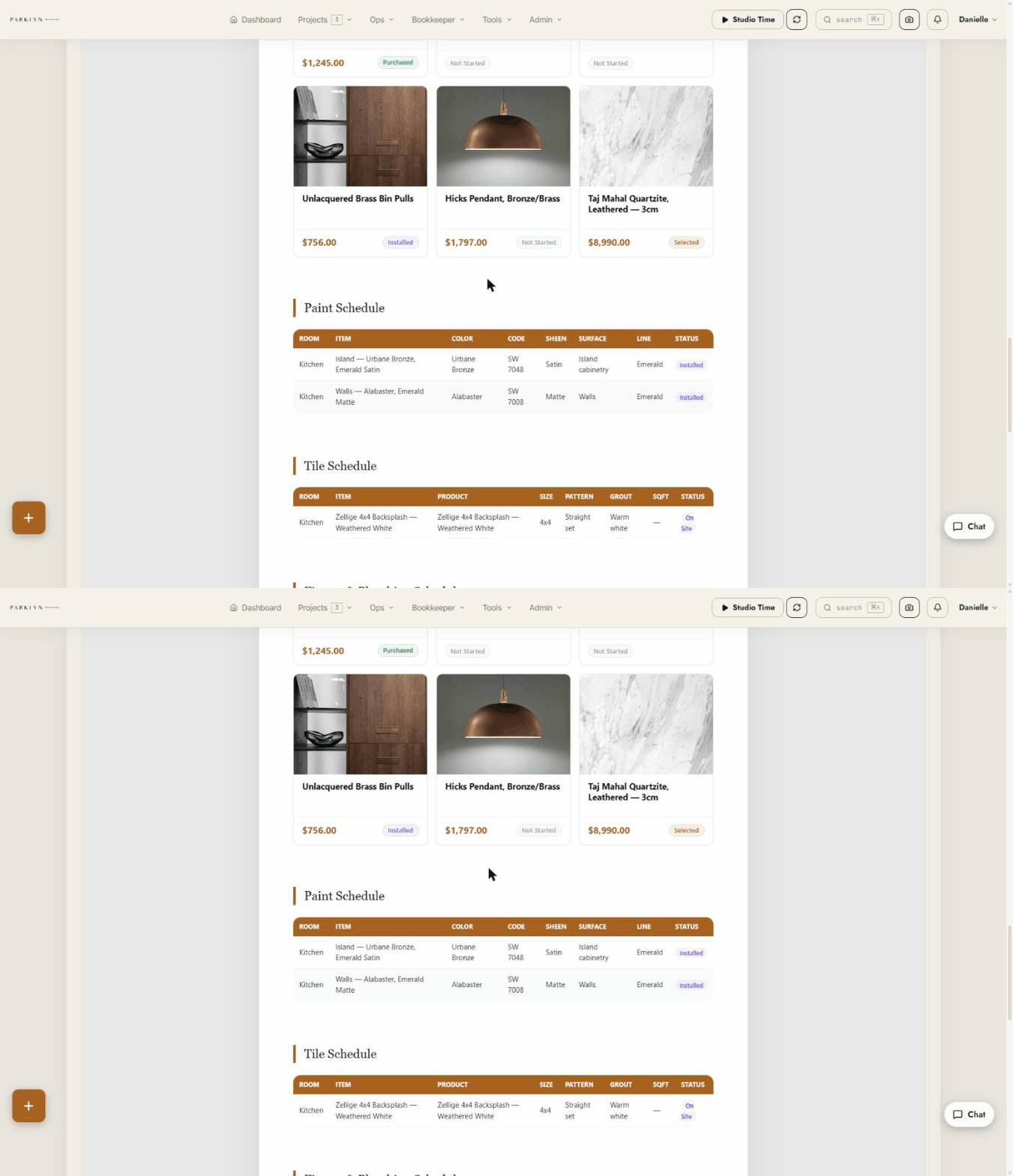
From those same selections, the portal writes the documents trades actually ask for: a paint schedule, lighting schedule, plumbing schedule, tile schedule — each item with its photo, model number, and where it goes. The spec book that used to eat a Sunday now falls out of work you already did.

Auto-generated trade schedules — paint, lighting, and plumbing schedules with photos and rooms
08

The board that reaches the spouse and the architect.

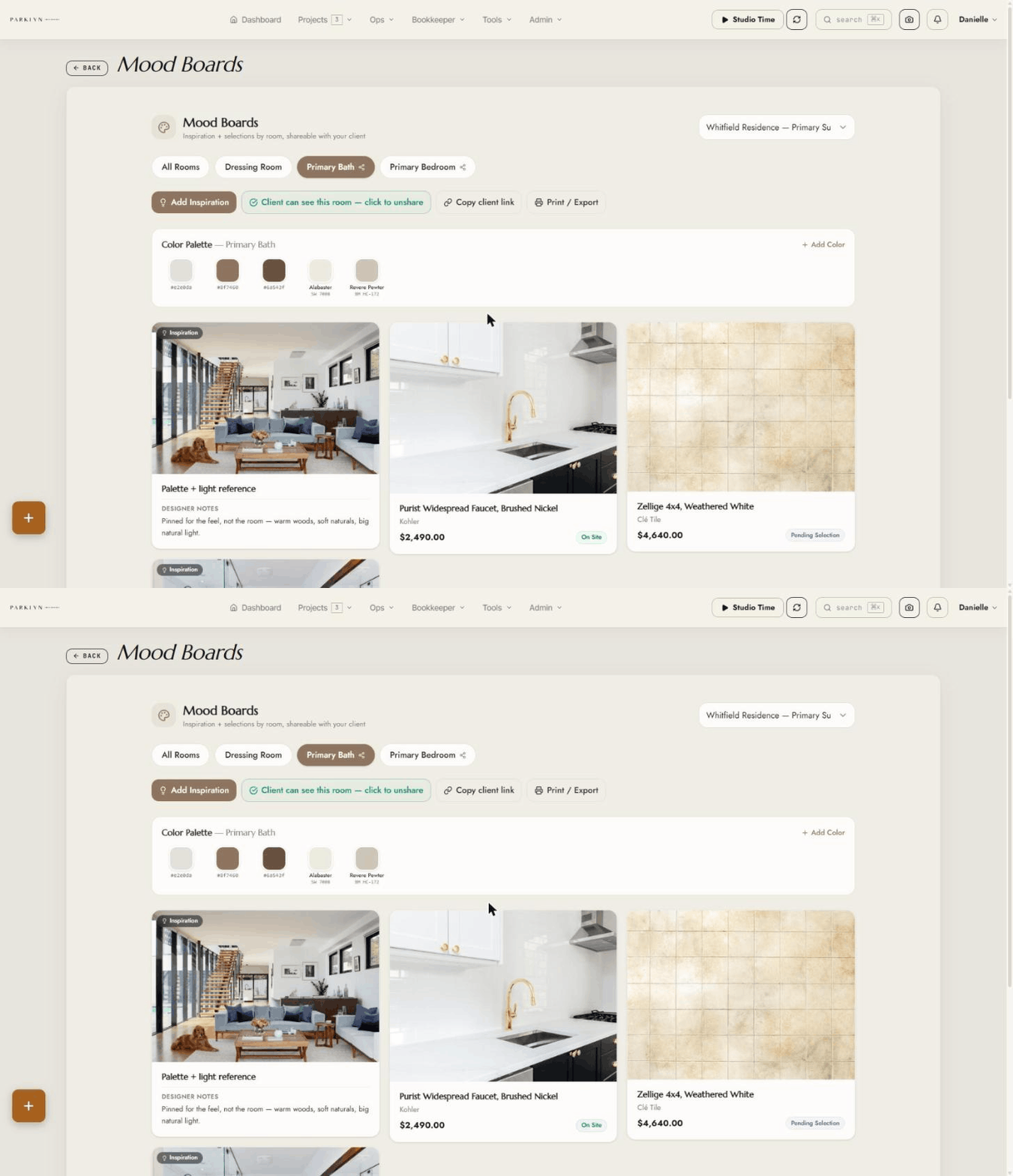
Mood boards with real Sherwin-Williams and Benjamin Moore colors, approved right in the client's portal. And when the client's husband or the architect wants to see it? Copy a link, text it. No login, no prices, just the work — under your name.
Mood board with real paint colors shared by public link — no login required
What's Inside

One system, four jobs.

Your client's experience

A branded portal where clients approve selections, browse mood boards with real Sherwin-Williams & Benjamin Moore colors, follow the budget, see photos, and message you — no more "any update?" calls.

Your money

Proposals, budgets with allowances and markup, invoicing, receivables, change orders, product procurement — the books live where the work lives.

Your field day

A photo app your team installs like a native camera — shots land in the right project automatically, GPS-stamped. Tap the mic on a walkthrough and AI files organized notes and follow-ups under the project.

Your hours

Studio Time bills like a law firm: live timer, per-project rates, unbilled rollups, and AI activity summaries you can attach straight to the invoice.

What it replaces  ·  Studio Designer  ·  QuickBooks  ·  CompanyCam  ·  busybusy
Custom Development On Tap

The part money can't usually buy.

Everybody's business is a little different. Off-the-shelf apps make you work their way; this one is set up around how you think and work — your labels, your modules on or off, your client view. And when you need something new, we build it for you, in days: quick customizations are flat-quoted at $250–750 with a 48-hour target; whole new modules from $1,500. No feature-request black hole. No roadmap-years.

We already work this way. When my nephew got fed up with lawn-care apps stuffed with features he'd never touch, we built his crew app his way — "stupid simple," his words, his spec. Every couple of weeks he brings one idea and we add it. The winners stick; the misses get dialed back — that's the point: you get to try things without betting the business on a feature request. And when a bug turns up, he texts me and it's fixed the same day — not filed into a support queue. You can't get that anywhere else.

The Offer

Simple pricing. No per-seat games.

Standard

Studio & Contractor

$299/mo designer
$399/mo contractor — adds crew ops, payroll, subs
Annual option: 2 months free
  • $995 one-time white-glove setup your brand pulled from your site, domain hooked up, walkthrough call — and your data brought over (clients, active projects, selections — imported from Houzz Pro / Studio Designer / Mydoma exports)
  • Unlimited team & client logins
  • Hosting, backups, updates, support, AI features included
  • Custom Fit retainer, $249/mo priority queue + 2 quick customizations included monthly

Existing customers are always grandfathered through price changes.

Straight Answers

The questions people are
too polite to ask.

Who owns my data?

You do — full stop. Your portal runs on its own isolated database, not a shared one. Your projects, clients, photos, and money never sit next to anyone else's, and there is no technical way for another customer's portal to touch yours.

What if I want to leave?

Cancel anytime on monthly plans — no cancellation fee, access through the month you paid for. You get a free, complete export: every record as spreadsheets, every photo and document zipped, invoices and proposals as PDFs, delivered within 5 business days. Leaving is easy on purpose — that's why staying is a choice.

What happens if I miss a payment?

A reminder at day 3, a heads-up at day 10, and at day 14 the portal pauses — it goes dark, but nothing is deleted. Pay and everything is back in minutes, exactly as you left it. Your data is kept a full 90 days either way, and we give written notice before anything is ever removed.

Do I have to drop QuickBooks?

No — but you can, like we did. The portal produces the P&L, ledgers, and 1099 data your accountant works from. Check with your CPA first; when they're comfortable, one system beats bouncing between apps.

What about support and bugs?

You text or email the person who built it — no ticket queue, no tier-1 script. Business-hours response, and fixes ship in days because one person owns the whole system. Updates are included and roll out to every portal on a regular cadence; customizations you paid for stay yours.

How do I get my stuff IN?

The $995 setup includes migration: your clients, active projects, and selections come over from Houzz Pro, Studio Designer, or Mydoma exports. You start with your business already in the system — not an empty shell and a weekend of data entry.

What am I actually signing?

A one-page agreement that says exactly what's on this page: your data is yours, the software is ours, the payment and retention terms above, and a plain-English liability cap. No auto-renewing annual traps, no gotchas — if a term isn't on that page, it isn't a term.

See It Live

Fifteen minutes.
Your brand on the screen.

Text or call Derrick and he'll walk you through a live portal — then show you what yours would look like. Up and running in a week, with your data already in it.